
- You are here:
- Home »
- Author's Archive:
All posts by Greg Reed
Local Authority Maintenance for Brisbane Psychologists: Building a Trusted Digital Presence
Finding a psychologist takes courage. Before a potential client ever picks up the phone or clicks "book now," they've already spent time researching, reading, and quietly assessing whether your practice feels like a safe space for them.
Your website is often the first touchpoint in that journey. And in a city like Brisbane: where mental health awareness is growing and more people are seeking support: your digital presence needs to do more than exist. It needs to build trust before the first session even begins.
That's where Local Authority Maintenance comes in. It's not about flashy redesigns or viral content. It's about consistent, thoughtful updates that position your practice as the trusted local expert in your corner of Brisbane.
Let's explore how this approach can help your psychology practice connect with more clients who genuinely need your support.
Why Your Website Is Your First Therapeutic Interaction
Consider this: 77% of patients research healthcare providers online before booking an appointment. For psychologists, this number is likely even higher. People seeking mental health support want to feel confident in their choice before they make themselves vulnerable.
Your website isn't just a digital business card. It's a preview of the experience clients can expect from you. A clunky booking system, outdated photos, or hard-to-find information can create friction at the worst possible moment: when someone is already anxious about reaching out.
Regular website maintenance ensures your digital presence reflects the same warmth, professionalism, and care you bring to your practice every day.

Monthly Website Tweaks That Build Client Confidence
Small, consistent improvements to your website can make a significant difference in how potential clients perceive your practice. Here's where to focus your attention:
Simplify the Online Booking Process
The moment someone decides to book an appointment is fragile. Any confusion or technical hiccup can cause them to second-guess themselves and click away.
Key improvements to consider:
- Reduce the number of steps required to complete a booking
- Display available time slots clearly without requiring account creation
- Offer multiple contact options (phone, email, online booking) for different comfort levels
- Send immediate confirmation emails that include what to expect at the first session
- Test your booking system monthly on both mobile and desktop devices
A booking system that works flawlessly tells potential clients: "This practice has their act together. I'm in good hands."
Update Specialist Bio Pages with Warmth and Professionalism
Your bio page is where trust is built or broken. Potential clients are looking for someone they can connect with: someone who feels approachable yet competent.
Bio page essentials:
- Professional, warm photos that show your personality (natural lighting, genuine smiles, welcoming body language)
- Clear descriptions of your specialisations written in accessible language
- A brief personal statement that helps clients understand your approach and values
- Qualifications and registrations displayed clearly but not overwhelming the page
- Regular updates when you complete new training or develop new areas of focus
Pro tip: Consider refreshing your professional photos every 2-3 years. Outdated images can create an unconscious disconnect when clients meet you in person.
Make Intake Forms and Confidentiality Policies Easily Accessible
For psychology clients, privacy isn't just important: it's essential. Making your confidentiality policies and intake processes crystal clear demonstrates respect for their concerns.
Ensure clients can easily find:
- Digital intake forms that can be completed before the first session
- Your confidentiality policy written in plain English
- Information about Medicare rebates and payment options
- Cancellation policies that are fair and clearly communicated
- Telehealth options for clients who prefer remote sessions

Suburb Profiling: Becoming the Trusted Local Expert
Brisbane is a city of distinct neighbourhoods, each with its own character and community. By creating content that speaks directly to these areas, you position your practice as genuinely connected to the local community: not just another generic healthcare provider.
Paddington
This inner-city suburb attracts a mix of young professionals, creative types, and established families. Content that resonates here might focus on:
- Managing the pressure of Brisbane's competitive creative industries
- Balancing career ambition with personal wellbeing
- Supporting families through life transitions in a tight-knit community
South Brisbane
With its proximity to the CBD and cultural precinct, South Brisbane draws professionals who value work-life integration. Consider addressing:
- Stress management for those working in high-pressure corporate environments
- The mental health benefits of cultural engagement and community connection
- Supporting young professionals navigating early career challenges
Kangaroo Point
This riverside suburb offers a unique blend of urban convenience and outdoor lifestyle. Relevant topics include:
- Using Brisbane's natural environment as part of a mental health strategy
- Supporting active individuals dealing with injury-related mental health challenges
- Building resilience in a transient, apartment-dwelling population
Toowong
A suburb with strong connections to the University of Queensland, Toowong serves students, academics, and families. Content opportunities include:
- Academic stress and performance anxiety among university students
- Supporting parents navigating the challenges of raising adolescents
- Managing the mental load of balancing study, work, and family

Local SEO Articles That Connect With Your Community
Beyond suburb-specific content, there are broader Brisbane topics that can help your practice appear in local searches while providing genuine value to potential clients.
Managing Work-Life Balance for Brisbane's Corporate Professionals
Brisbane's growing status as a business hub means more professionals are grappling with the familiar struggle of work-life balance. Articles addressing this topic might cover:
- Recognising the signs of burnout before it becomes a crisis
- Setting boundaries in always-connected work environments
- Practical strategies for disconnecting after work hours
- When to seek professional support for work-related stress
Navigating Social Anxiety in a Growing City
As Brisbane continues to grow and evolve, some residents find the changing landscape overwhelming. Content addressing social anxiety could explore:
- Understanding social anxiety versus introversion
- Gradual exposure techniques using Brisbane's social spaces
- Building a support network in a city of newcomers
- How therapy can help develop lasting coping strategies
Tips for Finding the Right Local Therapist in QLD
Many people searching for a psychologist don't know where to start. A helpful guide positions your practice as a trusted resource, even if readers don't ultimately choose you. Consider covering:
- Questions to ask when researching psychologists
- Understanding different therapeutic approaches (CBT, ACT, psychodynamic, etc.)
- What to expect from your first session
- How Medicare rebates work for psychology services in Queensland

Why Ongoing Maintenance Matters for Psychology Practices
Your website isn't a "set and forget" asset. Search engines favour websites that are regularly updated with fresh, relevant content. More importantly, potential clients notice when information feels current and cared for.
Regular maintenance ensures:
- Security updates protect sensitive client information
- Booking systems continue to function smoothly
- Content remains relevant to current community concerns
- Your practice appears active and engaged with the local community
- Technical issues are caught and fixed before they cost you bookings
For psychology practices specifically, maintaining a professional, secure, and functional website demonstrates the same reliability clients can expect from your therapeutic relationship.
Building Trust, One Update at a Time
Your website should feel like an extension of your practice: warm, professional, and genuinely helpful. Local Authority Maintenance isn't about chasing algorithms or gaming search engines. It's about showing up consistently for your community, providing value, and building the kind of trust that turns website visitors into long-term clients.
Brisbane needs more accessible mental health support. By maintaining a strong digital presence, you're removing barriers and making it easier for people to take that courageous first step toward getting help.
Your Website Isn't Broken. It's Forgettable. Fix It Now!
Local Authority Maintenance for Brisbane Physiotherapists: Strengthening Your Digital Foundation
Here's a stat that might make you wince: 75% of people judge a business's credibility based on their website design alone. For Brisbane physiotherapists, that means your digital presence is doing heavy lifting before a patient ever walks through your door.
But here's the thing: having a website isn't enough anymore. Your competitors have websites too. The clinics winning the local search game are the ones consistently maintaining and building their local authority. They're not just existing online; they're dominating their suburbs and becoming the go-to experts for specific conditions and patient needs.
Let's break down exactly how Brisbane physio clinics can strengthen their digital foundation through smart, ongoing local authority maintenance.
What Is Local Authority Maintenance (And Why Should You Care)?
Think of local authority maintenance as your website's regular adjustment schedule. Just like you'd never tell a patient to come in once and expect lifelong results, your website needs consistent attention to stay healthy and perform at its best.
Local authority maintenance involves:
- Regular website updates that improve user experience
- Building geographic relevance in your target suburbs
- Creating content that positions you as the local expert
- Strengthening your presence in local search results
The physio clinics ranking on page one of Google for "physiotherapist near me" aren't there by accident. They've built trust with search engines through consistent, strategic effort.
Monthly Website Tweaks: Small Changes, Big Impact
Your website isn't a set-and-forget brochure. It's a living, breathing tool that needs regular fine-tuning. Here are the monthly tweaks that make the biggest difference for Brisbane physio practices.

Streamline Your Online Booking Flow
Did you know that 67% of patients prefer online booking over phone calls? If your booking system requires more than three clicks, you're losing appointments to competitors with smoother processes.
Monthly booking flow checklist:
- Test the entire booking journey yourself: from landing on the site to confirmation email
- Remove unnecessary form fields: do you really need their middle name right now?
- Ensure mobile responsiveness: most bookings happen on phones
- Check that available times are actually available: nothing frustrates patients more than booking a ghost slot
- Verify confirmation emails are being sent and landing in inboxes, not spam folders
Pro tip: Have a friend who's never used your site attempt to book an appointment. Watch where they hesitate or get confused. Those friction points are costing you patients.
Update Your "Exercise of the Month" Video Resources
Video content is gold for physiotherapy websites. Patients love visual demonstrations, and Google loves websites that keep visitors engaged longer.
Monthly video maintenance tasks:
- Refresh your featured exercise video on the homepage
- Check all existing videos still play correctly: broken video players look unprofessional
- Add new condition-specific exercise demonstrations
- Update video thumbnails to look current and professional
- Ensure videos are properly compressed so they don't slow down your site
Consider creating exercise content targeting local activities: stretches for cyclists who ride the Brisbane Valley Rail Trail, or warm-up routines for runners hitting the riverwalks.
Keep Patient Education Materials Easy to Find
Your post-op guides, injury prevention PDFs, and home exercise programs are valuable resources. But if patients can't find them easily, they might as well not exist.
Monthly content audit tasks:
- Test all download links: broken PDFs are frustratingly common
- Update any outdated information in existing guides
- Reorganise resources by condition or body part for easier navigation
- Add new materials based on common patient questions
- Ensure mobile users can access downloads without issues
Suburb Profiling: Own Your Local Territory
Here's where Brisbane physios can really separate themselves from the pack. Instead of trying to rank for generic terms across the entire city, smart clinics focus on dominating specific suburbs.

Why Suburb-Specific Authority Matters
When someone in Bulimba searches for a physio, Google wants to show them the most relevant local result. If your website has dedicated content about serving Bulimba residents, you've got a significant advantage over competitors with generic Brisbane-wide messaging.
Target Suburbs for Brisbane Physiotherapists
Based on active lifestyles and sports enthusiasm, these suburbs represent prime opportunities:
| Suburb | Why It's Strategic | Content Angle |
|---|---|---|
| Milton | Young professionals, fitness studios, proximity to Suncorp Stadium | Sports injuries, desk worker posture, pre/post-game treatment |
| Ascot | Affluent demographic, tennis clubs, horse racing community | Tennis elbow, equestrian injuries, premium service positioning |
| Bulimba | Active families, Oxford Street fitness scene, riverside runners | Family physio services, running injuries, weekend sports recovery |
| Clayfield | Established families, local sports clubs, school athletics | Youth sports injuries, aging athlete support, club partnerships |
How to Build Suburb Authority
Create dedicated suburb landing pages that include:
- Specific mention of local landmarks and facilities
- Information about parking and public transport access from that suburb
- Testimonials from patients in that area (with permission)
- References to local sports clubs, gyms, or community groups
Pro tip: Partner with local businesses in your target suburbs. A cross-promotion with a Milton gym or an Ascot tennis club builds real-world authority that translates to digital credibility.
Local SEO Articles: Content That Actually Ranks
Generic physio content won't cut through anymore. The internet is drowning in articles about "5 Ways to Prevent Back Pain." What Google: and your potential patients: want is locally relevant, specific content.

Article Topic #1: Injury Prevention for Brisbane Riverwalk Runners
The Brisbane Riverwalk attracts thousands of runners weekly. That's a massive local audience searching for running-related physio advice.
Content ideas:
- "Common Running Injuries on Brisbane's Riverwalk (And How to Prevent Them)"
- "Best Pre-Run Stretches for Brisbane's Riverside Tracks"
- "When to See a Physio: A Guide for Brisbane Runners"
Include specific details about the terrain, common injury points along the route, and mention nearby landmarks. This hyper-local approach signals to Google that you're the authority for this specific audience.
Article Topic #2: Post-Surgical Rehabilitation Near Brisbane Hospitals
Patients recovering from surgery at Royal Brisbane Hospital, Mater Hospital, or Princess Alexandra Hospital need physio care. Many search for "physiotherapy near [hospital name]" during their recovery planning.
Content ideas:
- "Your Post-Surgery Rehabilitation Guide: What Brisbane Hospital Patients Need to Know"
- "Physiotherapy After Knee Replacement: Supporting Royal Brisbane Hospital Patients"
- "Finding the Right Post-Op Physio Near Mater Hospital Brisbane"
This content captures patients at a critical decision-making moment and positions your clinic as the logical choice for their recovery journey.
Article Topic #3: Weekend Warrior Recovery for Local Club Sports
Brisbane's club sports scene is thriving: from touch football at local parks to cricket clubs across the suburbs. These "weekend warriors" are prime physio patients dealing with strains, sprains, and overuse injuries.
Content ideas:
- "Recovery Tips for Brisbane Touch Football Players"
- "How Brisbane Cricket Club Members Can Prevent Common Bowling Injuries"
- "The Weekend Warrior's Guide to Monday Morning Recovery"
Reference specific leagues, parks, and clubs where possible. This builds genuine local relevance that generic content can't match.
Putting It All Together: Your Monthly Maintenance Schedule
Consistency beats intensity when it comes to local authority maintenance. Here's a simple monthly framework:
Week 1: Website functionality audit (booking flow, video checks, download links)
Week 2: Content refresh (update existing pages, add new patient resources)
Week 3: Suburb authority building (update or create location-specific content)
Week 4: Local SEO article creation (publish one locally-focused piece)
This manageable schedule ensures steady progress without overwhelming your team or your budget.
The Bottom Line
Brisbane's physiotherapy market is competitive. The clinics that thrive are the ones that treat their digital presence with the same care and consistency they bring to patient treatment.
Local authority maintenance isn't about flashy redesigns or viral content. It's about showing up consistently, serving your local community with valuable information, and making it ridiculously easy for patients to find and book with you.
Your website should be working as hard as you do. If it's not generating consistent enquiries from your target suburbs, it's time to strengthen that digital foundation.

Local Authority Maintenance for Brisbane Chiropractors: Aligning Your Digital Presence for Growth
Here's a question that might sting a little: when was the last time you actually looked at your chiropractic practice's website? Not a quick glance: a proper audit. If you're like most Brisbane chiropractors, you built it, launched it, and moved on to the important work of helping patients feel better.
But here's the thing. Your website isn't a "set and forget" tool. It's a living, breathing extension of your practice. And if it's gathering digital dust, you're leaving patients: and authority: on the table.
Local authority maintenance is about making small, consistent updates that keep your online presence fresh, trustworthy, and visible to the Brisbane community you serve. Let's break down exactly how to align your digital presence for sustainable growth.
Why Local Authority Matters for Brisbane Chiropractors
Think about how your patients find you. They're not flipping through the Yellow Pages anymore. They're Googling "chiropractor near me" while nursing a sore neck after a long day at the office. Or they're searching for "back pain relief Ashgrove" after weekend gardening got the better of them.
Local authority is what determines whether your practice shows up in those searches: or gets buried beneath competitors. It's built through:
- Consistent, relevant content that demonstrates your expertise
- Optimised local SEO targeting Brisbane suburbs
- Trust signals like updated team photos, reviews, and seamless booking experiences
The practices that maintain their local authority month after month? They become the go-to choice in their community. The ones that don't? They fade into the background noise.
Monthly Website Tweaks: Small Changes, Big Impact
You don't need a complete website overhaul every quarter. What you need is a rhythm of small, intentional updates that signal to both Google and potential patients that your practice is active, professional, and trustworthy.

Keep Your Online Booking System Seamless
Your booking system is often the first real interaction a potential patient has with your practice. If it's clunky, confusing, or: worst of all: broken, they'll bounce to a competitor faster than you can say "spinal adjustment."
Monthly checks should include:
- Testing the booking flow on both desktop and mobile
- Ensuring appointment types and practitioner availability are current
- Confirming automated confirmation emails are actually sending
- Checking that calendar integrations sync properly
Pro tip: Book a test appointment yourself every month. Experience what your patients experience. You'd be surprised what you might find.
Refresh Your Digital Patient Intake Forms
Outdated intake forms don't just frustrate patients: they can create compliance headaches too. Your forms should be easy to complete on any device and reflect your current services and requirements.
Consider reviewing:
- Health history questions – Are they comprehensive but not overwhelming?
- Consent forms – Are they legally current?
- Mobile responsiveness – Can patients easily complete forms on their phone while sitting in the waiting room?
Update Your "Meet the Team" Section
Here's where many practices drop the ball. Your team page builds trust before a patient even walks through your door. Yet it often features outdated photos, missing staff members, or bios that haven't been touched since 2019.
Quick wins for your team page:
- Add recent, professional photos (even smartphone photos in good lighting work)
- Include short, personable bios that highlight specialisations and interests
- Mention any new certifications or training completed
- Remove team members who've moved on (awkward when patients ask for them!)
People choose chiropractors they feel they can trust. A friendly, current team page goes a long way in building that connection.
Suburb Profiling: Become the Local Expert
Brisbane isn't one homogenous market: it's a collection of distinct communities, each with their own character and health needs. Smart chiropractors don't just target "Brisbane." They establish authority in specific suburbs where their ideal patients live and work.

Suburbs Worth Targeting
| Suburb | Why It Matters |
|---|---|
| Ashgrove | Established families, active lifestyle community, high demand for family chiropractic care |
| Carindale | Growing population, proximity to Westfield brings foot traffic, mix of young professionals and retirees |
| Holland Park | Health-conscious demographic, strong community feel, word-of-mouth referrals thrive here |
| North Lakes | Rapidly expanding area, young families, underserved by specialist health providers |
How to Build Suburb-Specific Authority
Creating dedicated pages or content for each suburb you serve tells Google (and patients) that you're genuinely local: not just another generic practice.
Effective suburb profiling includes:
- Location pages optimised for "[suburb] chiropractor" searches
- Local landmarks and references woven naturally into content
- Community involvement mentions (sponsoring the local footy team, participating in park runs)
- Google My Business posts highlighting suburb-specific services or offers
When someone in Ashgrove searches for back pain relief, you want your practice to feel like the obvious local choice: not a faceless option 15 kilometres away.
Local SEO Articles: Content That Connects
Generic blog posts about "the benefits of chiropractic care" won't cut through anymore. What will? Content that speaks directly to the lives, challenges, and activities of Brisbane locals.

Managing 'Tech Neck' for Brisbane CBD Office Workers
Let's face it: Brisbane's CBD is packed with desk-bound professionals staring at screens for eight-plus hours a day. "Tech neck" is practically an epidemic, and these workers are actively searching for solutions.
Article ideas:
- "5 Stretches Brisbane Office Workers Can Do at Their Desk"
- "Why Your Eagle Street Commute Might Be Causing Your Neck Pain"
- "Tech Neck: The Hidden Cost of Brisbane's Digital Workforce"
This content positions you as the chiropractor who gets their daily reality: not someone offering generic advice from a textbook.
Recovery Tips for Brisbane Hikers
Mt Coot-tha sees thousands of hikers every week. From casual walkers to trail runners pushing their limits, these active Brisbanites often deal with lower back strain, hip tightness, and knee issues.
Content opportunities:
- "Post-Hike Recovery: What Every Mt Coot-tha Regular Should Know"
- "Common Hiking Injuries Brisbane Chiropractors See (And How to Prevent Them)"
- "Preparing Your Spine for Brisbane's Best Bushwalks"
You're not just a chiropractor anymore: you're the hiking community's go-to recovery expert.
Posture Support for Local Athletes
Brisbane's sporting culture runs deep. From weekend rugby leagues to CrossFit boxes in Fortitude Valley, local athletes need chiropractic care tailored to their performance goals.
Think about content like:
- "How Brisbane Rugby Players Can Protect Their Spines This Season"
- "Chiropractic Care for CrossFit: What Valley Athletes Need to Know"
- "Why Brisbane Cyclists Should Prioritise Spinal Health"
When athletes see content that speaks to their sport and their community, trust builds fast.
Bringing It All Together
Local authority maintenance isn't about one big marketing push. It's about showing up consistently: month after month: with small updates that compound over time.
Your monthly checklist:
- ✅ Test and optimise your online booking system
- ✅ Review and refresh patient intake forms
- ✅ Update team photos and bios
- ✅ Publish suburb-specific content
- ✅ Create local SEO articles targeting Brisbane lifestyles
- ✅ Engage with reviews and local community posts
The chiropractors who commit to this rhythm don't just maintain their authority: they build it. They become the trusted name in Ashgrove, the first choice in Carindale, the practice everyone in North Lakes recommends.
And it all starts with treating your website like the valuable asset it is.
Ready to Align Your Digital Presence?
You've put years into building your clinical skills. Your online presence deserves the same attention. Because in 2026, a forgettable website means a forgettable practice.

Local Authority Maintenance for Brisbane Mortgage Brokers: Winning the Home Loan Game Online
Here's a question that keeps Brisbane mortgage brokers up at night: Why is your competitor ranking above you when you know your service is better?
The answer isn't about having more experience or access to more lenders. It's about who's maintaining their online presence like it actually matters. Because in 2026, your website isn't just a digital business card, it's your 24/7 sales team, your trust builder, and often the first (and only) impression a potential borrower gets before they pick up the phone.
Welcome to Local Authority Maintenance, the ongoing process of keeping your digital presence sharp, relevant, and impossible to ignore in the Brisbane mortgage market.
What Exactly Is Local Authority Maintenance?
Think of your website like a rental property. You wouldn't let a tenant move in and then never check on it again, right? Local Authority Maintenance is essentially the same concept applied to your online presence.
It involves:
- Regular content updates that signal to Google you're active and relevant
- Local SEO optimisation that positions you as the go-to broker in specific Brisbane suburbs
- Trust-building elements that convert browsers into booked consultations
For mortgage brokers specifically, this matters more than most industries. Why? Because you're asking people to trust you with the biggest financial decision of their lives. Your website needs to work overtime to establish that trust before they ever meet you.

Monthly Website Tweaks: The Small Stuff That Wins Big
Let's get into the practical stuff. These are the monthly maintenance tasks that separate the brokers who dominate local search from those who wonder where all their leads went.
Keep Your Interest Rate Tables Current
Nothing screams "outdated" louder than rate tables showing last quarter's numbers. Borrowers are savvy, they check multiple sources before reaching out. If your rates don't match what they're seeing elsewhere, you've lost credibility instantly.
Pro tip: Set a calendar reminder for the first Monday of each month. Update your comparison tables, adjust any rate-specific content, and make sure your "last updated" timestamps are visible. Transparency builds trust.
Add Fresh Client Success Stories
Social proof isn't optional anymore, it's essential. Brisbane mortgage brokers have access to over 30 different lenders and hundreds of loan products. But so does your competition. What sets you apart? Real stories from real locals.
Consider adding:
- First-home buyer wins (especially in competitive Brisbane suburbs)
- Refinancing success stories showing actual savings figures
- Complex scenario victories where you helped someone the banks turned away
Rotate these monthly. A steady stream of fresh testimonials tells Google your business is active and tells potential clients that people like them are choosing you.
Make Your CTAs Impossible to Miss
Your "Apply Now" or "Book a Call" buttons shouldn't require a treasure map to find. Audit your site monthly and ask yourself:
- Can I see a clear CTA within 3 seconds of landing on any page?
- Are my buttons contrasting enough to stand out?
- Is my phone number clickable on mobile?
Here's the reality: Most visitors won't scroll. Your conversion opportunity lives above the fold.

Suburb Profiling: Becoming the Local Expert
Here's where Brisbane mortgage brokers can genuinely outmanoeuvre the big banks. While they're running generic national campaigns, you can own specific suburbs where home-buying activity is hot.
Target High-Activity Areas
Focus your content efforts on suburbs with consistent buyer demand:
| Suburb | Why It Matters |
|---|---|
| Chermside | Major retail hub attracting young professionals and families upgrading from apartments |
| Coorparoo | Inner-south lifestyle appeal with strong first-home buyer interest |
| Indooroopilly | Established family suburb with steady refinancing and upgrade activity |
| Upper Mount Gravatt | Affordable entry point for first-timers priced out of inner suburbs |
Create Dedicated Suburb Pages
Don't just mention these areas in passing. Build dedicated landing pages that demonstrate genuine local knowledge:
- Median property prices and recent trends
- Typical buyer profiles in the area
- Specific lending challenges (e.g., older properties needing building reports)
- Local amenities that make the suburb attractive
This strategy works because someone searching "mortgage broker Coorparoo" has already decided they want local expertise. Give them exactly what they're looking for, and you've won half the battle before your first conversation.
Engage With Local Communities
Your suburb profiling shouldn't exist only on your website. Get involved:
- Join local Facebook community groups (not to spam, but to genuinely help)
- Partner with local real estate agents for co-branded content
- Attend suburb-specific property events and share insights online

Local SEO Articles: Content That Actually Converts
Here's where the magic of Local Authority Maintenance really kicks in. Strategic blog content does three things simultaneously: it attracts organic traffic, establishes your expertise, and pre-qualifies leads before they contact you.
Article Idea 1: Navigating the Brisbane Property Market as a First-Home Buyer
This is evergreen gold. First-home buyers are actively searching for guidance, and they're often overwhelmed by conflicting information.
Cover topics like:
- Brisbane's current market conditions (update quarterly)
- Realistic deposit expectations for different suburbs
- The step-by-step process from pre-approval to settlement
- Common mistakes Brisbane first-timers make
Pro tip: Include specific Brisbane references, mention actual suburbs, local grant programs, and regional market nuances. Generic content won't cut it.
Article Idea 2: Why Use a Broker Over a Big Bank in Queensland
Here's your chance to educate while differentiating. Many borrowers don't realise that mortgage brokers provide free services because they're paid commissions by lenders rather than by clients.
Key points to cover:
- Access to 30+ lenders versus a bank's single product range
- Brokers work for you, not the lender's sales targets
- Ongoing support post-settlement (something banks rarely provide)
- Local market knowledge that national call centres can't match
Article Idea 3: Understanding QLD Stamp Duty Concessions
This is high-intent search territory. Someone Googling "QLD stamp duty first home buyer" is actively planning a purchase. Be the resource they find.
Break down:
- Current concession thresholds and eligibility criteria
- How concessions apply to different property types
- First Home Owner Grant stacking opportunities
- Recent changes to QLD property taxation
Update this content whenever state budgets are released. Outdated stamp duty information is worse than no information at all.

Putting It All Together: Your Monthly Maintenance Checklist
Local Authority Maintenance isn't a one-time project. It's an ongoing commitment that compounds over time. Here's your monthly action list:
- Update interest rate tables and comparison content
- Add at least one new client success story or testimonial
- Audit CTA visibility on your top 5 landing pages
- Publish one suburb-specific or local SEO article
- Check Google Business Profile for new reviews (and respond to all of them)
- Review analytics for traffic and conversion trends
Consistency beats intensity. A broker who maintains their site monthly will outperform one who does a massive overhaul once a year and then neglects it.
The Bottom Line for Brisbane Mortgage Brokers
You're competing with brokers who have 25-30 years of experience. You're competing with national brands with marketing budgets that dwarf yours. But here's your advantage: you can out-local them.
Local Authority Maintenance gives you the playbook to dominate Brisbane's mortgage market suburb by suburb, search query by search query. It's not glamorous work, but it's the work that actually moves the needle.
The brokers winning online right now aren't necessarily better at their job. They're just better at showing up where their ideal clients are searching, and proving their value before the first handshake.
Your Website Isn't Broken. It's Forgettable. Fix It Now!
Ready to transform your online presence from a digital afterthought into a lead-generating machine? Local Authority Maintenance is how Brisbane mortgage brokers build lasting visibility in the suburbs that matter most.
Local Authority Maintenance for Brisbane Property Management: Dominating the Rental Market Online
Brisbane's rental market is competitive. Like, really competitive.
With vacancy rates fluctuating and interstate investors flooding into the Queensland capital, property management agencies are battling for every landlord's attention. But here's the thing: most agencies are fighting the wrong battle. They're spending thousands on traditional advertising while their websites sit there, stale and forgettable.
The agencies winning right now? They're playing a different game. It's called Local Authority Maintenance, and it's the difference between being a search result and being the search result.
Let's break down exactly how Brisbane property management agencies can dominate the rental market online: one strategic website tweak at a time.
What Is Local Authority Maintenance?
Think of your website as a rental property. Would you let a property sit vacant for months without maintenance, updates, or improvements? Of course not. Your website deserves the same attention.
Local Authority Maintenance is the ongoing practice of:
- Regularly updating and optimising your website content
- Building geographic authority in your target suburbs
- Creating valuable resources that position you as the local expert
It's not a one-time SEO project. It's a commitment to being the most relevant, most helpful, and most visible property management agency in Brisbane's digital landscape.
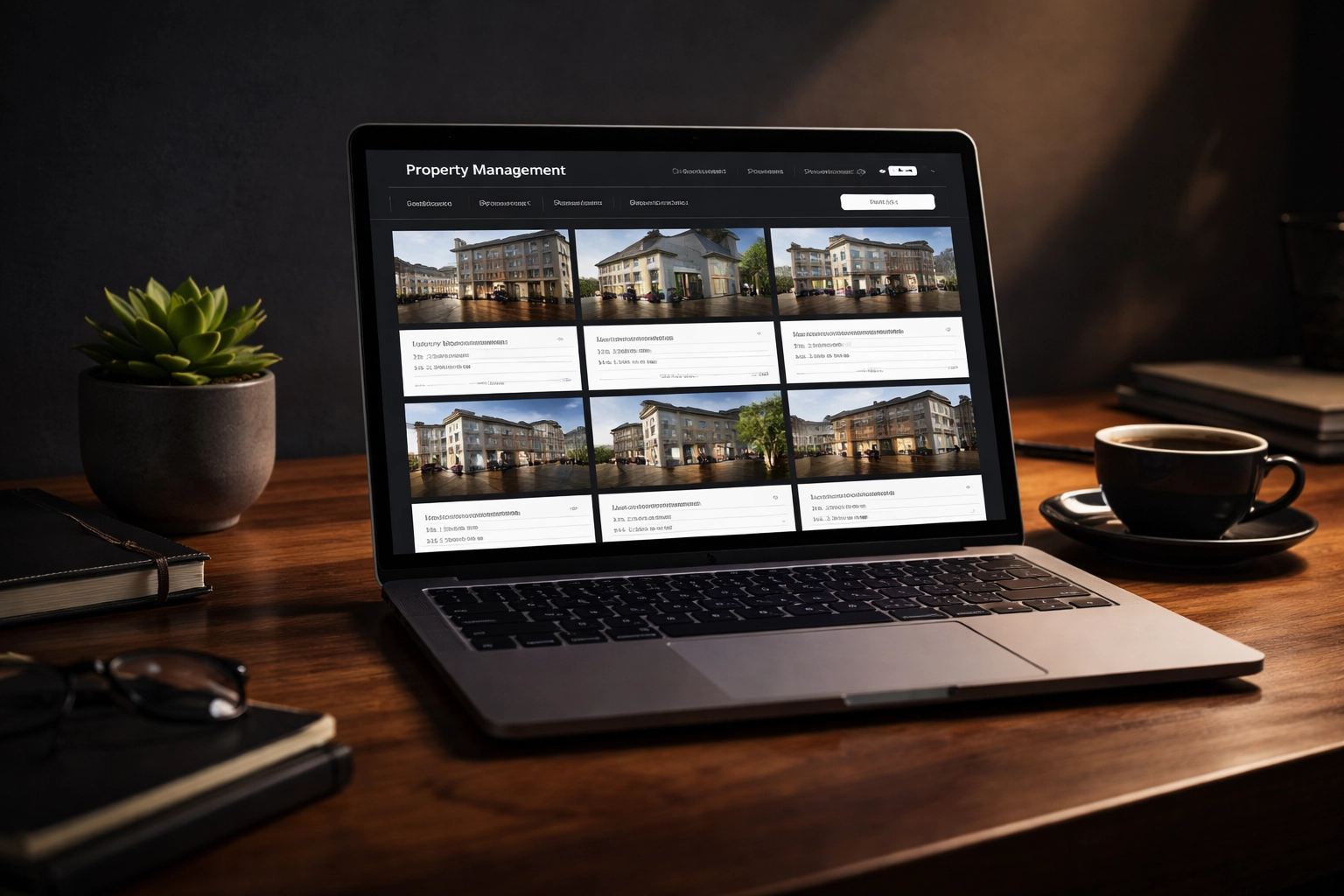
Monthly Website Tweaks: Keeping Your Digital Shopfront Fresh
Your website isn't a brochure: it's a living, breathing sales tool. And in property management, where listings change weekly and legislation shifts annually, a static website is a liability.
Here's what smart Brisbane agencies are doing every single month:
Keep Rental Listings Fresh and Engaging
- Update property photos regularly: nothing screams "outdated" like listings with photos from 2019
- Add virtual tours and video walkthroughs for premium properties
- Refresh property descriptions with current neighbourhood highlights and amenities
- Remove expired listings immediately: they hurt your credibility and SEO
Pro Tip: Google rewards websites that update frequently. Every time you add or refresh a listing, you're signalling to search engines that your site is active and relevant.
Update Landlord and Tenant Resources
Downloadable guides are gold for property management websites. They position you as an authority while capturing leads. Consider creating:
- "First-Time Landlord's Guide to Brisbane Rentals"
- "Tenant Rights and Responsibilities in QLD"
- "Rental Property Tax Deductions Checklist"
- "Pre-Tenancy Checklist for Brisbane Properties"
The key? Update these annually (at minimum) to reflect current legislation and market conditions. Outdated guides destroy trust faster than you can say "bond dispute."
Ensure Lightning-Fast Search Functionality
Potential tenants are impatient. If your property search takes more than two seconds to load, they're gone: straight to your competitor's site.
Monthly website maintenance should include:
- Speed testing your search functionality
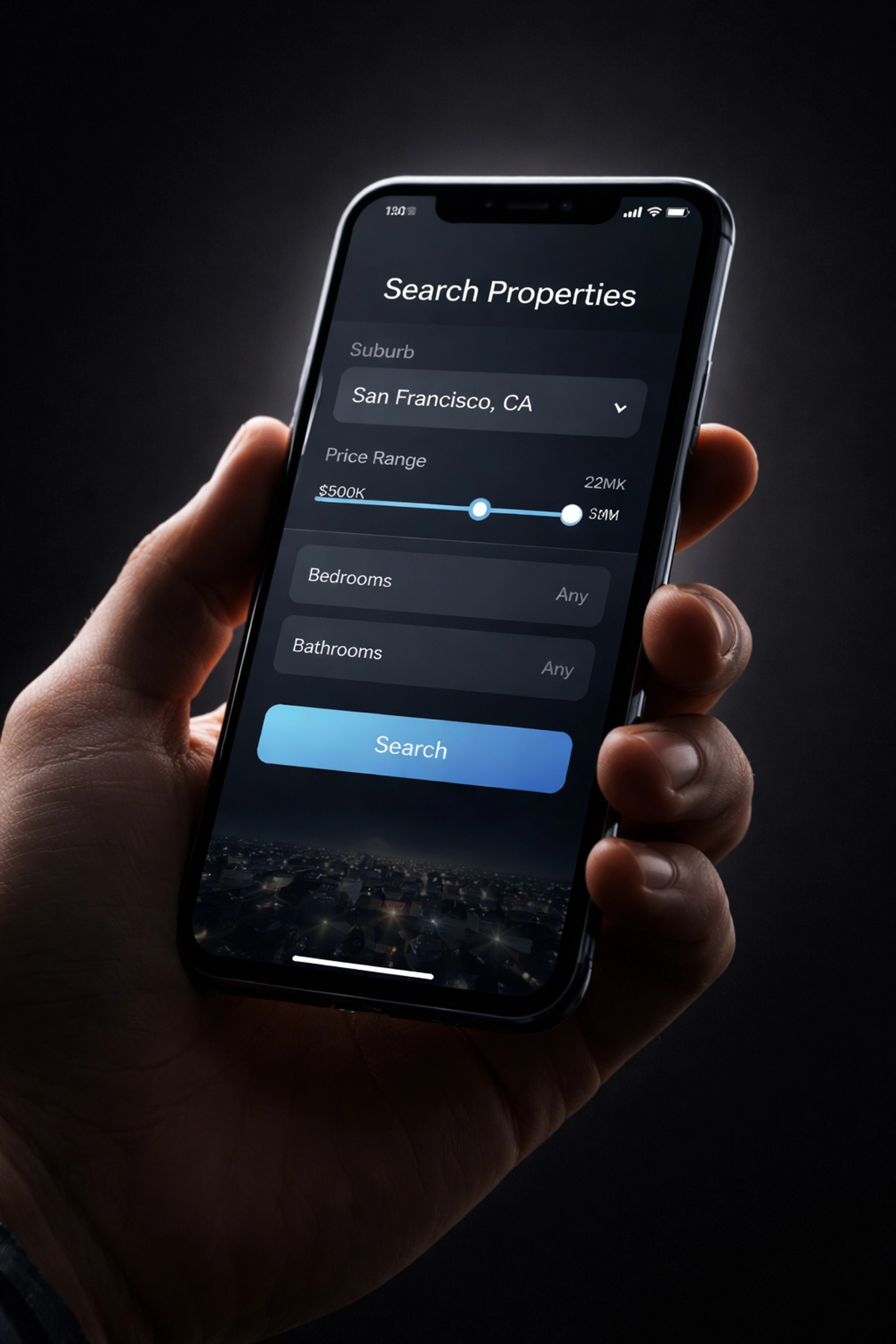
- Checking filters work correctly (bedrooms, suburbs, price range)
- Mobile optimisation: over 60% of rental searches happen on phones
- Fixing broken links and outdated suburb pages
Suburb Profiling: Own Your Territory
Here's where most Brisbane property management agencies miss the mark. They try to rank for "Brisbane property management" and wonder why they're buried on page three of Google.
The smarter play? Dominate specific suburbs first, then expand.
High-Rental-Yield Suburbs to Target
Brisbane's rental market isn't uniform. Some suburbs are investor magnets with strong yields and consistent demand. These are your digital battlegrounds:
| Suburb | Why It Matters |
|---|---|
| Kangaroo Point | Inner-city appeal, river views, strong tenant demand from young professionals |
| West End | Lifestyle precinct, café culture, consistently low vacancy rates |
| New Farm | Premium market, high-quality tenants, excellent capital growth |
| Paddington | Character homes, family-friendly, strong interstate investor interest |
| Woolloongabba | Olympic precinct growth, infrastructure investment, rising yields |
| South Brisbane | Cultural hub, excellent transport links, apartment market strength |
How to Build Suburb Authority
Creating a single suburb page isn't enough. You need a content ecosystem around each target area:
- Dedicated suburb landing pages with rental market insights
- Blog posts covering local developments, infrastructure changes, and lifestyle features
- Rental market reports specific to each suburb (updated quarterly)
- Google Business Profile posts mentioning suburb-specific services
Pro Tip: Include hyperlocal details that only a true local would know: the best coffee spot near your Paddington listings, the weekend markets in West End, the ferry access at Kangaroo Point. This builds trust with both landlords and tenants.

Local SEO Articles: Becoming the Go-To Expert
Content marketing for property management isn't about pumping out generic articles. It's about answering the questions your ideal clients are actually asking.
Topic 1: Navigating QLD Rental Legislation Changes
Queensland's rental laws have seen significant changes recently, and landlords are confused. This is your opportunity to shine.
Create content covering:
- Recent amendments to the Residential Tenancies Act
- New compliance requirements for smoke alarms, safety switches, and pool fencing
- Changes to bond processes and dispute resolution
- Upcoming legislative changes landlords need to prepare for
Why this works: Landlords searching for "QLD rental law changes 2026" or "new tenancy rules Brisbane" will find your content: and your agency.
Topic 2: Maximising Rental Yield in Brisbane's Current Market
Every property investor wants to know one thing: "How do I make more money?"
Position yourself as the yield expert with articles like:
- "5 Renovations That Increase Brisbane Rental Returns"
- "Pricing Strategy: Finding the Sweet Spot in a Competitive Market"
- "Pet-Friendly Rentals: The Untapped Yield Opportunity"
- "Short-Term vs Long-Term Leasing: What's Right for Your Brisbane Property?"
Include real data wherever possible. Brisbane-specific rental yield statistics, suburb comparisons, and market trends demonstrate genuine expertise.
Topic 3: Why Interstate Investors Need Local Expertise
Melbourne and Sydney investors are pouring into Brisbane's property market. They have money, but they don't have local knowledge. That's where you come in.
Create content specifically for this audience:
- "Managing Your Brisbane Investment Property from Melbourne"
- "What Sydney Investors Need to Know About Brisbane's Rental Market"
- "The Hidden Costs of DIY Property Management for Interstate Owners"
- "Why Local Brisbane Expertise Matters More Than National Brands"
Pro Tip: Target long-tail keywords like "Brisbane property manager for interstate investors" or "remote property management Brisbane." These searches have high intent and lower competition.

The Compound Effect of Consistency
Here's what separates agencies that dominate from agencies that merely exist online: consistency.
Local Authority Maintenance isn't a campaign: it's a commitment. When you:
- Update your website monthly
- Publish suburb-focused content quarterly
- Create timely articles around legislation changes
- Refresh your resources annually
…you're not just improving your SEO. You're building a digital asset that compounds in value over time. Each piece of content, each update, each suburb page adds to your authority.
And authority converts.
When a landlord in New Farm searches for property management, they don't just want any agency. They want the agency that clearly understands New Farm, knows the local market, and demonstrates expertise at every touchpoint.
That agency could be you: if you commit to the maintenance.
Ready to Dominate Brisbane's Rental Market Online?
Your competitors are updating their websites. They're creating suburb pages. They're publishing content that positions them as the local experts.
The question isn't whether Local Authority Maintenance works. The question is whether you'll implement it before your competitors lock down your suburbs.
Local Authority Maintenance for Brisbane Tool Sharpening Services: Keeping Your Competitive Edge Sharp
Let's cut straight to the point: Brisbane's tool sharpening industry is competitive. From mobile services visiting commercial kitchens to workshop-based operations servicing tradespeople across the east coast, there's no shortage of skilled sharpeners in this city.
So how do you stand out? How do you become the go-to name when a chef in Fortitude Valley needs their Japanese knives touched up, or when a butcher in South Brisbane needs their boning blades back in action?
The answer isn't just about being good at what you do. It's about building and maintaining local authority online: consistently, strategically, and with purpose.
This guide breaks down exactly how Brisbane tool sharpening services can sharpen their digital presence through ongoing website maintenance, suburb-specific content, and authority-building articles that actually convert.
Monthly Website Tweaks: Small Changes, Big Impact
Your website isn't a "set and forget" brochure. It's a living tool that needs regular attention: just like the blades you sharpen.
Here's what you should be updating monthly:
Keep Your Price List Current
Nothing frustrates potential customers faster than outdated pricing. Whether you're sharpening chef knives, circular saw blades, or clipper blades for groomers, your price list should reflect:
- Current rates for each service type
- Tiered pricing for bulk orders or ongoing agreements
- Rush fees for same-day or express turnaround
- Mobile service premiums versus workshop drop-off rates
Pro tip: Add a "last updated" date to your pricing page. It signals to visitors that you're active and reliable.

Highlight Mobile vs. Drop-Off Services
Brisbane customers want options. Some prefer the convenience of a mobile sharpening van pulling up to their restaurant or workshop. Others are happy to drop tools off at your location for a lower rate.
Make this distinction crystal clear on your website:
- Mobile service: Ideal for busy commercial kitchens, butcheries, salons, and groomers who can't afford downtime
- Drop-off service: Perfect for home cooks, hobbyist woodworkers, and tradespeople who can plan ahead
- Mail-in options: For customers outside your immediate service area
Consider adding a simple comparison table that outlines turnaround times, pricing differences, and service areas for each option.
Showcase Before-and-After Transformations
Here's where you can really flex your expertise. Visual proof sells.
Every month, add new before-and-after photos showcasing:
- Dull, chipped kitchen knives restored to razor-sharp perfection
- Worn circular saw blades brought back to factory-edge condition
- Garden shears, secateurs, and hedge trimmers ready for another season
Include brief captions explaining what was wrong, what you did, and how the customer benefited. This builds trust and demonstrates the tangible value of professional sharpening over DIY methods.
Suburb Profiling: Become the Local Expert
Generic content won't cut it anymore. If you want to dominate local search results, you need to own specific suburbs: particularly those with high concentrations of trades, hospitality, or commercial activity.
Here's your hit list for Brisbane:
South Brisbane
This area is packed with restaurants, cafes, and food service businesses. Chefs here need reliable, fast sharpening services for their high-end kitchen knives. Create content targeting:
- "Professional knife sharpening in South Brisbane"
- "Same-day sharpening for South Brisbane restaurants"
- "Mobile knife sharpening near South Bank"

Fortitude Valley
The Valley's hospitality scene is thriving. From upscale dining to busy bars and food halls, there's constant demand for sharp blades. Focus on:
- Speed and convenience (busy kitchens can't wait a week)
- After-hours pickup and delivery options
- Ongoing maintenance agreements for commercial clients
Chermside
A major retail and commercial hub on Brisbane's northside. Think hairdressers needing scissor sharpening, butchers requiring boning blades, and home cooks upgrading their knife game. Target content like:
- "Scissor sharpening for Chermside salons"
- "Butcher knife sharpening near Chermside"
- "Best knife sharpening service on Brisbane's northside"
Mount Gravatt
With its mix of residential and light industrial activity, Mount Gravatt offers opportunities across multiple customer segments: from garden tool sharpening for landscapers to industrial blade maintenance for local workshops.
Pro tip: Create dedicated landing pages for each suburb you service. Include specific service details, local testimonials, and clear calls-to-action. This signals to Google that you're genuinely serving these areas.
Local SEO Articles: Build Authority That Lasts
Blog content isn't just for filling space. When done right, it positions your business as the trusted authority customers turn to when they need answers.
Here are three article topics every Brisbane tool sharpening service should have on their website:
Why Professional Sharpening Beats DIY Every Time
Sure, anyone can buy a cheap sharpening stone or pull-through gadget. But do they actually know what they're doing?
This article should cover:
- The risks of improper sharpening: Uneven edges, damaged blade geometry, reduced blade lifespan
- Why water-cooled, slow-speed systems matter: They maintain blade temper and prevent heat damage (a technique used by top Brisbane sharpeners)
- The false economy of DIY: A ruined $200 chef's knife costs more than a $15 professional sharpening service
Include real examples of blades that came in damaged from DIY attempts. It's persuasive content that validates your expertise.

Caring for High-End Kitchen Knives in Queensland's Humidity
Brisbane's subtropical climate isn't kind to carbon steel and certain high-end blade materials. This is a goldmine topic for attracting serious home cooks and professional chefs.
Cover topics like:
- Why humidity accelerates rust and corrosion on reactive steel blades
- Proper storage solutions: Magnetic strips, blade guards, and dry storage environments
- Cleaning and drying best practices after each use
- When to bring knives in for professional maintenance versus at-home touch-ups
This kind of educational content builds trust and positions you as more than just a service provider: you become a resource.
Sharp Blades for Trade Safety and Efficiency
Dull tools aren't just inefficient: they're dangerous. This article should target tradespeople, butchers, and commercial operators who may not realise the risks they're taking.
Key points to include:
- Dull blades require more force, increasing the risk of slips and injuries
- Clean cuts reduce material waste in butchery and food processing
- Regular sharpening extends tool lifespan, reducing long-term equipment costs
- Compliance considerations for commercial kitchens and processing facilities
Back this up with industry statistics where possible. It adds weight to your argument and reinforces your credibility.

Consistency Is the Sharpest Tool in Your Kit
Building local authority isn't a one-time project. It's an ongoing process of:
- Updating your website monthly with fresh content, current pricing, and new visual proof
- Expanding your suburb footprint with targeted landing pages and local content
- Publishing educational articles that answer real questions your customers are asking
The Brisbane tool sharpening market has room for specialists who commit to showing up consistently. Whether you're servicing abattoirs, commercial kitchens, salons, or backyard gardeners: your digital presence should work as hard as you do.
Ready to Sharpen Your Online Presence?
Your skills are sharp. Your service is reliable. But if your website isn't pulling its weight, you're leaving money on the table.
Your Website Isn't Broken. It's Forgettable. Fix It Now!
Learn more about Local Authority Maintenance and start building the digital presence your Brisbane tool sharpening business deserves.
Local Authority Maintenance for Brisbane Fencing Services: Putting Up a Strong Online Front
You build fences that stand the test of time. Colorbond that doesn't buckle in a Brisbane storm. Timber that ages gracefully through humid summers. Glass pool fencing that keeps families safe while looking absolutely stunning.
But here's the thing, if your website isn't pulling its weight, none of that craftsmanship matters to the homeowner frantically Googling "fencing contractor near me" at 9pm on a Tuesday.
Local authority maintenance isn't about council permits or compliance checks. It's about consistently showing up online as the trusted fencing expert in your patch of Brisbane. It's the difference between being found and being forgotten.
Let's break down exactly how to put up a strong online front for your fencing business.
1. Monthly Website Tweaks: Keep Your Digital Shopfront Fresh
Your website is your 24/7 salesperson. And just like you wouldn't let your physical shopfront get dusty and outdated, your digital presence needs regular attention.
Here's what that looks like for a fencing business:
Update Your Project Gallery Regularly
Nothing sells fencing work like visual proof. Homeowners want to see what you've actually done, not stock photos of generic fences.
Every month, aim to add:
- 2-3 new Colorbond installations (especially popular colours like Woodland Grey or Monument)
- Fresh timber fencing projects showing different styles and stains
- Glass pool fencing photos that highlight safety compliance and seamless integration
- Before-and-after shots that tell a transformation story
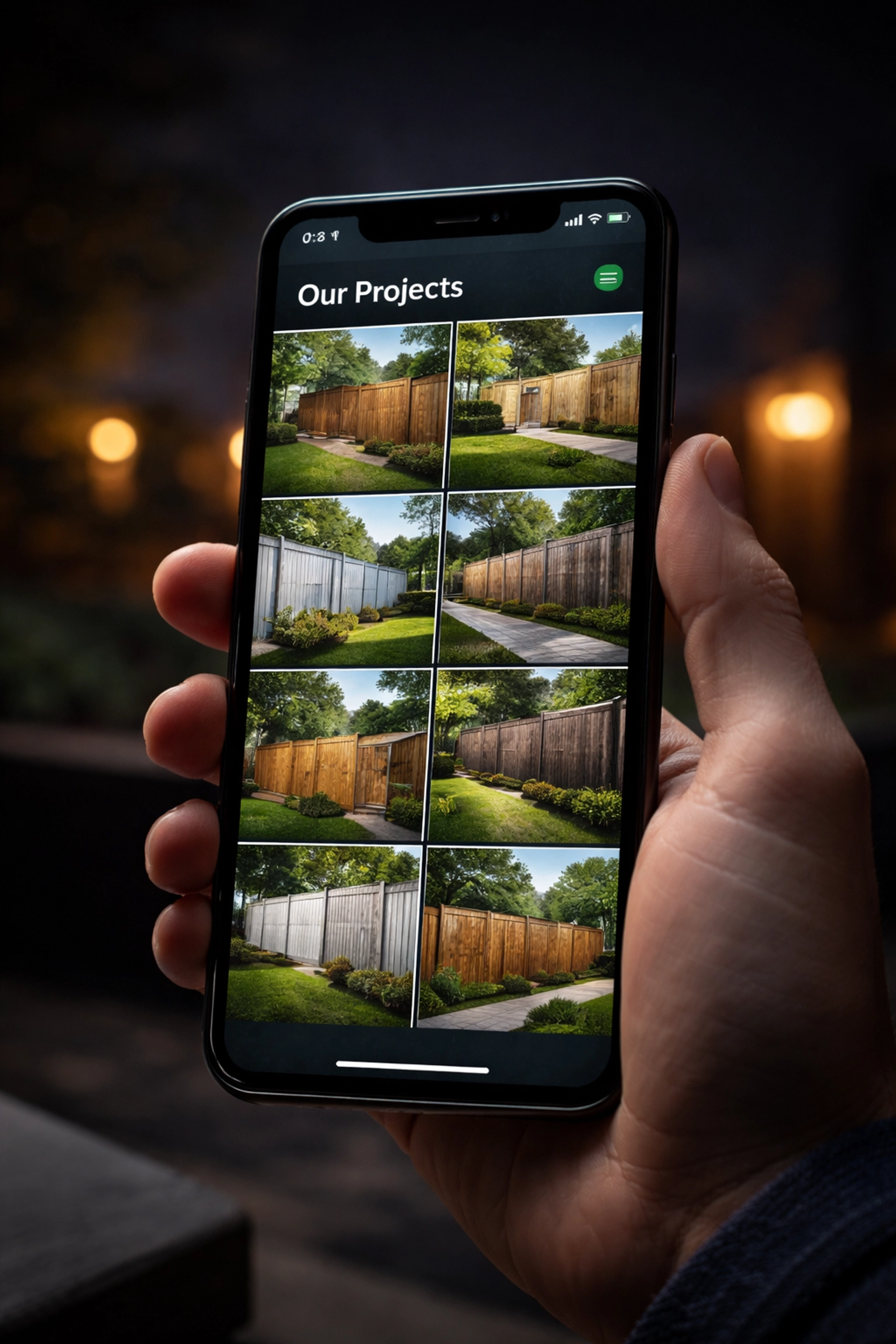
Pro tip: Include the suburb name in your image alt text and captions. "Colorbond fence installation in Morningside" does more SEO heavy lifting than "fence photo 47."
Refresh Your Service Areas
Brisbane's a sprawling city. If you've expanded into new suburbs or want to target specific areas, your website needs to reflect that.
Check your service area page monthly and ask:
- Are all the suburbs you service actually listed?
- Have you added any new areas recently?
- Are there high-value suburbs you're missing out on?
Speed and Mobile Responsiveness
Here's a stat that should make you nervous: 53% of mobile users abandon sites that take longer than 3 seconds to load.
Your potential customers are searching on their phones while standing in their backyard, looking at the fence that desperately needs replacing. If your site crawls, they'll bounce to your competitor before you've even had a chance.
Monthly speed checks should include:
- Image compression (those beautiful gallery photos can slow things down)
- Plugin updates if you're on WordPress
- Mobile testing on actual devices, not just desktop previews
2. Suburb Profiling: Own Your Local Turf
Generic "Brisbane fencing" content only gets you so far. The real magic happens when you establish authority in specific suburbs.
Think about it, a homeowner in Ascot has different concerns than someone in Tarragindi. Different property styles. Different council considerations. Different neighbours to impress.
Target These High-Value Brisbane Suburbs
Here's where you should be building your digital fence posts:
| Suburb | Why It Matters | Content Angle |
|---|---|---|
| Ascot | High-end properties, heritage homes | Premium timber fencing, heritage-sympathetic designs |
| Clayfield | Family-focused, pools common | Glass pool fencing, child-safe solutions |
| Tarragindi | Leafy, established homes | Privacy fencing, timber options that blend with greenery |
| Morningside | Mix of renovated Queenslanders and modern builds | Versatile fencing solutions, character-appropriate designs |

How to Create Suburb-Specific Content
For each target suburb, consider creating:
- Dedicated landing pages (e.g., "Fencing Services in Clayfield")
- Case studies featuring completed projects in that area
- Local references that show you know the neighbourhood
A page targeting Ascot might mention the large blocks, heritage considerations, and the preference for quality materials that match the prestige of the area. It's not just about keywords, it's about demonstrating local knowledge.
3. Local SEO Articles: Become the Brisbane Fencing Authority
Blog content isn't just about filling space. Done right, it positions you as the go-to expert when homeowners have questions, and they have plenty.
Here are three article directions that work brilliantly for Brisbane fencing services:
Pool Fencing Regulations in QLD
This is a goldmine topic. Pool owners are terrified of getting compliance wrong, and for good reason, the fines are steep and the safety implications are serious.
Cover the essentials:
- Minimum height requirements (1.2m from finished ground level)
- Gap specifications (no gaps greater than 100mm)
- Gate requirements (self-closing, self-latching, opening outward)
- Inspection requirements for sales and leases
- Common compliance failures you see on the job
Pro tip: Queensland generally allows fences up to 2 metres without a permit, but pool fencing has its own set of rules entirely. Make this distinction crystal clear.

Best Fencing Materials for Brisbane's Climate
Brisbane's subtropical humidity is brutal on certain materials. Position yourself as the expert who knows what survives and what struggles.
Break it down:
- Colorbond: The humidity champion. Doesn't warp, rot, or attract termites. Perfect for Brisbane's conditions.
- Treated timber: Looks beautiful but requires maintenance. Recommend appropriate treatments and stains for longevity.
- Hardwood options: Australian hardwoods like Merbau handle humidity well but come at a premium.
- Glass pool fencing: Resistant to weather but needs regular cleaning to combat water spots and salt air in bayside suburbs.
Front Fence Design Ideas for Curb Appeal
This is where you tap into the emotional side of fencing. Homeowners want their property to look good. They want their neighbours to be impressed. They want that "wow" factor when they pull into the driveway.
Create content around:
- Trending designs in Brisbane (horizontal slat fencing is huge right now)
- Colour combinations that complement different architectural styles
- Height considerations (Brisbane City Council typically allows 1.8m along front boundaries)
- Mixed material options (timber and rendered pillars, for example)

4. Consistency Is the Secret Weapon
Here's what separates fencing businesses that dominate local search from those that fade into the background: they show up consistently.
Not once. Not when they remember. Every single month.
A simple maintenance schedule looks like this:
Weekly:
- Check Google Business Profile for new reviews (and respond to all of them)
- Share a recent project photo on social media
Monthly:
- Add 2-3 new gallery images
- Publish one local SEO article
- Check site speed and fix any issues
- Update service areas if needed
Quarterly:
- Review suburb-specific pages for accuracy
- Refresh outdated content
- Analyse which pages are performing and double down
5. The Bottom Line
Your fencing work speaks for itself: once people see it. The challenge is getting them to your website in the first place, and then convincing them you're the right choice.
Local authority maintenance isn't glamorous. It's not a one-time fix. It's the ongoing commitment to showing up as the trusted expert in your corner of Brisbane.
The fencing businesses winning online right now aren't necessarily the biggest or the cheapest. They're the ones who consistently prove their expertise, showcase their work, and make it ridiculously easy for local homeowners to find them.
Your fence posts are set deep. Your gates swing perfectly. Your Colorbond lines are laser-straight.
Now it's time to make sure your online presence matches that standard.
Your Website Isn't Broken. It's Forgettable. Fix It Now!
Local Authority Maintenance for Brisbane Decking Services: Building Your Digital Foundation
Let's be honest: Brisbane homeowners love a good deck. Whether it's a sprawling hardwood setup overlooking the river or a compact merbau entertaining space in the suburbs, outdoor living is practically a religion in this city.
But here's the thing: if your decking business isn't showing up when locals search for "deck builders near me," you're leaving money on the table. Good craftsmanship means nothing if nobody can find you online.
That's where Local Authority Maintenance comes in. It's not a one-time SEO fix or a flashy website redesign. It's the ongoing, consistent work that transforms your digital presence from "just another tradie website" into the go-to resource for Brisbane decking services.
Let's break down exactly how this works for your business.
What Is Local Authority Maintenance (And Why Should You Care)?
Think of your website like one of your timber decks. You wouldn't build a beautiful spotted gum deck and then never oil it, right? It'd fade, crack, and eventually become a liability.
Your website works the same way.
Local Authority Maintenance is the regular upkeep that keeps your online presence fresh, relevant, and visible to the people searching for decking services in Brisbane. It includes:
- Monthly website tweaks that keep your content current
- Suburb profiling that targets the areas where you actually want to work
- Local SEO articles that position you as the expert in your field
Without this maintenance, your website becomes stale. Google notices. Your competitors overtake you. And those leads? They're calling someone else.

Monthly Website Tweaks: Keeping Your Digital Deck in Top Shape
Your website isn't a "set and forget" situation. Here's what regular maintenance looks like for a Brisbane decking business:
Refresh Your Gallery With Recent Projects
Nothing sells your work like actual photos of your work. But if your gallery is showing the same six projects from 2021, you've got a problem.
Monthly updates should include:
- Recent outdoor living projects that showcase your current capabilities
- Before and after shots that demonstrate transformation
- Variety in materials: hardwood, softwood, composite, and hybrid builds
- Different project scales from small balcony decks to full backyard transformations
Pro tip: Include the suburb name in your image alt text and captions. "Merbau deck installation in Paddington" does more SEO heavy lifting than "deck photo 1."
Highlight Timber vs. Composite Options
Brisbane homeowners are increasingly curious about their options. Some want the classic warmth of spotted gum or blackbutt. Others are drawn to the low-maintenance promise of composite decking.
Your website should clearly address both:
| Feature | Timber Decking | Composite Decking |
|---|---|---|
| Aesthetic | Natural grain, warm tones | Consistent colour, modern look |
| Maintenance | Regular oiling (6-12 months) | Minimal: occasional wash |
| Durability | 15-25+ years with care | 25+ years |
| Cost | Lower upfront | Higher upfront, lower ongoing |
| Best for | Traditional homes, natural feel | Busy families, coastal properties |
Having this information readily available positions you as the helpful expert: not just another tradie pushing a quote.
Ensure Contact Forms Are Primed for Local Inquiries
You'd be surprised how many decking websites have broken contact forms, outdated phone numbers, or no clear call-to-action.
Every month, check that:
- Contact forms actually work (test them yourself)
- Phone numbers are clickable on mobile devices
- Your service areas are clearly listed
- Response time expectations are set ("We'll get back to you within 24 hours")
Small friction points cost you leads. Eliminate them.

Suburb Profiling: Owning Your Patch of Brisbane
Here's a question: when someone in Bulimba searches for "deck builder Bulimba," does your business show up?
Suburb profiling is about establishing authority in the specific areas where you want to work. And in Brisbane, certain suburbs are absolute goldmines for decking services.
The Deck-Loving Suburbs You Should Be Targeting
Bulimba
Affluent families with established Queenslanders and character homes. These properties often have the outdoor space: and the budget: for premium deck installations. Think hardwood, multiple levels, and integrated outdoor kitchens.
New Farm
A mix of heritage homes and modern apartments. Balcony decks, rooftop entertaining spaces, and courtyard transformations are common here. Residents value quality and are willing to pay for it.
Bardon
Elevated blocks with views mean decks are practically mandatory. These homeowners want outdoor living spaces that take advantage of the landscape. Elevated decks and multi-level designs are popular.
Indooroopilly
Family-oriented suburb with plenty of post-war homes getting renovated. Practical, durable decking that can handle kids, pets, and weekend barbecues is the name of the game.
How to Build Suburb Authority
Creating dedicated content for each target suburb signals to Google: and to potential customers: that you're the local expert. This includes:
- Suburb-specific landing pages ("Decking Services in Bulimba")
- Case studies featuring local projects with real addresses (with permission)
- Content addressing suburb-specific challenges (sloping blocks in Bardon, heritage restrictions in New Farm)
When someone searches for decking services in their suburb, you want to be the obvious choice.

Local SEO Articles: Becoming Brisbane's Decking Authority
Blog content isn't just about keeping your website active: it's about answering the questions your ideal customers are already asking.
For Brisbane decking services, that means creating genuinely useful content around topics that matter locally.
Deck Maintenance for the Queensland Climate
Brisbane's subtropical climate is tough on outdoor timber. Hot summers, humid wet seasons, and intense UV exposure all take their toll.
Content ideas that provide real value:
- "How Often Should You Oil Your Deck in Brisbane?" (Hint: more often than you think)
- "Protecting Your Deck From Queensland's Wet Season"
- "Best Timber Species for Brisbane's Climate"
- "Signs Your Deck Needs Professional Attention"
This content attracts homeowners at different stages: from those researching new builds to existing deck owners looking for maintenance tips. Both are potential customers.
Understanding Council Regulations for Deck Heights
Here's a topic most decking websites completely ignore: Brisbane City Council regulations.
Homeowners are often confused about what requires approval and what doesn't. Content that clarifies this positions you as the knowledgeable professional who handles the complicated stuff.
Key topics to cover:
- When you need a building approval for deck construction
- Height restrictions and setback requirements
- Heritage overlay considerations for character suburbs
- The approval process and typical timeframes
Pro tip: Always recommend customers verify current requirements with council directly, but providing an overview establishes trust and expertise.
Outdoor Entertaining Design Trends
Brisbane homeowners don't just want a deck: they want an outdoor living space. Content that inspires them helps you attract higher-value projects.
Trending topics worth covering:
- Integrated outdoor kitchens and BBQ areas
- Built-in seating and planters
- Lighting design for evening entertaining
- Seamless indoor-outdoor flow with matching flooring levels
- Privacy screens and shade solutions
This type of content attracts homeowners in the dreaming and planning phase: exactly when you want to get in front of them.

The Compound Effect of Consistent Maintenance
Here's what most Brisbane decking businesses get wrong: they treat their website like a one-time project.
Build it, launch it, forget it.
But the businesses that dominate local search results? They're the ones making small, consistent improvements month after month.
- Fresh project photos every 4-6 weeks
- New blog content targeting local search terms
- Regular technical checks to ensure everything works
- Suburb-specific pages that expand their geographic reach
Over 6-12 months, this compounds. Your website becomes more authoritative. Google trusts you more. And when Brisbane homeowners search for decking services, your name keeps showing up.
Ready to Build Your Digital Foundation?
Your decking work speaks for itself: but only if people can actually find you.
Local Authority Maintenance isn't about tricks or shortcuts. It's about doing the consistent, unglamorous work that builds real online authority over time. Just like building a quality deck, there are no shortcuts to a solid foundation.
Local Authority Maintenance for Brisbane Garden Services: Keeping Your Online Presence Evergreen
Here's a question that might keep you up at night: When someone in Ashgrove types "garden maintenance near me" into Google, does your business show up? Or are you buried somewhere on page three, competing with every other green-thumbed operator in Brisbane?
Brisbane's garden services industry is thriving. With the council alone maintaining over 70,000 hectares of grass across the city, locals clearly value well-kept outdoor spaces. That means homeowners want professionals they can trust: and they're searching online to find them.
But here's the thing: having a website isn't enough anymore. You need local authority maintenance: the ongoing work that keeps your digital presence fresh, relevant, and ranking for the suburbs you actually serve.
Let's dig into exactly how that works.
What Is Local Authority Maintenance?
Think of your website like a garden (fitting, right?). You can't just plant it once and walk away. Without regular care: watering, pruning, fertilising: it gets overgrown, neglected, and eventually dies off.
Local authority maintenance is the digital equivalent of that ongoing care. It's the monthly tweaks, fresh content, and strategic updates that tell Google your business is active, relevant, and genuinely serving your local community.
For Brisbane garden services, this means:
- Keeping your website current with seasonal offerings
- Building suburb-specific pages that target where you actually work
- Publishing expert content that positions you as the go-to authority
Let's break each of these down.

Monthly Website Tweaks: Stay Fresh, Stay Relevant
Your website shouldn't look the same in January as it does in July. Brisbane's subtropical climate means your services shift throughout the year: and your online presence should reflect that.
Seasonal Service Updates
Consider what you're actually doing each season:
- Summer (December–February): Storm cleanup, irrigation checks, lawn revival after the heat
- Autumn (March–May): Leaf removal, preparing gardens for cooler months, soil improvement
- Winter (June–August): Pruning, hedge trimming, planting for spring
- Spring (September–November): Mulching, pest management, garden makeovers
Pro tip: Update your homepage and service pages quarterly to highlight what's most relevant right now. When someone lands on your site in winter and sees "Beat the Summer Heat with Our Irrigation Services," they'll assume you're not paying attention: or worse, not in business anymore.
Showcase Recent Testimonials
Nothing builds trust faster than social proof. But that glowing review from 2021? It's starting to feel stale.
Make it a habit to:
- Request reviews after every completed job (a simple follow-up text works wonders)
- Rotate testimonials on your homepage monthly
- Add suburb-specific reviews to relevant pages (more on that below)
Fresh testimonials signal to both Google and potential customers that you're actively working and delivering results.
Suburb Profiling: Own Your Local Turf
Here's where most Brisbane garden services miss a massive opportunity. They create one generic "Service Areas" page that lists 47 suburbs: and wonder why they're not ranking for any of them.
Google rewards specificity. If you want to show up when someone in Kenmore searches for garden maintenance, you need a dedicated page that speaks directly to Kenmore residents.

Building Suburb-Specific Authority
Let's say you regularly work in Ashgrove, Kenmore, and Carindale. Each of these suburbs has unique characteristics:
| Suburb | Garden Characteristics | Content Angle |
|---|---|---|
| Ashgrove | Established homes, mature trees, shaded gardens | Heritage garden maintenance, shade-tolerant planting |
| Kenmore | Larger blocks, family homes, open lawns | Lawn care for big yards, kid-friendly garden design |
| Carindale | Mix of new builds and established homes, diverse styles | Modern low-maintenance gardens, garden makeovers |
What Goes on a Suburb Page?
A solid suburb profile page should include:
- Local introduction: Mention the suburb by name, reference local landmarks or characteristics
- Services offered in that area: Tailored to what residents typically need
- Recent work examples: Photos and case studies from that suburb (with permission)
- Local testimonials: Reviews from actual customers in the area
- Clear call-to-action: Make it easy to request a quote
Pro tip: Don't just copy-paste the same content with different suburb names. Google's smarter than that, and so are your potential customers. Each page should feel genuinely tailored.
Local SEO Articles: Become the Expert
Want to know the secret weapon that separates garden services ranking on page one from everyone else? Consistent, helpful content.
Publishing regular articles on topics your customers actually care about does two things:
- Builds trust with readers who find genuine value in your advice
- Signals to Google that you're an active, authoritative source on local gardening topics
Content Ideas for Brisbane Garden Services
Here are proven topics that resonate with Brisbane homeowners:
Seasonal Lawn Care for the QLD Climate
- How to keep your lawn green through Brisbane's humid summers
- Winter lawn care tips: What Brisbane homeowners need to know
- The best grass types for Brisbane's subtropical climate
Organic Pest Management for Brisbane Gardens
- Natural ways to control aphids and caterpillars in Brisbane
- Protecting your veggie patch without harsh chemicals
- Common Brisbane garden pests and how to manage them organically
Low-Maintenance Planting Guides
- Native plants that thrive in Brisbane's climate
- Creating a drought-tolerant garden for Brisbane summers
- Easy-care plants for busy Brisbane families

How Often Should You Publish?
You don't need to pump out content daily. For most garden services, one quality article per month is enough to maintain momentum and keep Google happy.
The key is consistency. A blog that gets updated sporadically looks abandoned. A blog with regular monthly posts shows you're invested in helping your community.
The Compound Effect of Local Authority Maintenance
Here's what happens when you commit to this approach over time:
- Month 1-3: Your website gets fresher, more relevant content. Google starts noticing.
- Month 4-6: Suburb pages begin ranking for local searches. You start getting more targeted enquiries.
- Month 6-12: Your authority articles attract organic traffic. People start finding you through helpful content, not just direct searches.
- Year 2 and beyond: You've built a digital moat around your business. Competitors can't just throw up a quick website and outrank you: they'd need to match months of consistent effort.
This is the power of compound growth in local SEO. Every update, every suburb page, every article builds on what came before.
Why Most Garden Services Don't Do This
Let's be honest: you got into this industry because you love working outdoors, not because you wanted to spend hours updating websites and writing blog posts.
And that's completely fair.
But here's the reality: your competitors who do invest in local authority maintenance will outrank you. They'll capture the phone calls and enquiries that could have been yours.
The good news? You don't have to do it all yourself. Many successful Brisbane garden services partner with content specialists who handle the digital side while they focus on what they do best: creating beautiful outdoor spaces.

Ready to Grow Your Online Presence?
Your website might be functional. It might even look decent. But if it's not actively working to build your local authority month after month, it's just sitting there: forgettable.
Brisbane homeowners are searching for garden services right now. The question is: will they find you, or your competitor down the road?
Local Authority Maintenance for Brisbane Landscapers: Growing Your Local Influence
You've built stunning outdoor spaces across Brisbane. Retaining walls that defy gravity. Native gardens that burst with grevilleas and kangaroo paw. Outdoor entertaining areas that make neighbours jealous.
But here's the thing: if Google doesn't know you're the go-to landscaper in Paddington, neither do your future clients.
Local authority isn't something you plant once and walk away from. It's a garden that needs regular tending. And just like that neglected hedge out the front of a rental property, your online presence can get overgrown, patchy, and forgettable if you're not maintaining it.
Let's dig into how Local Authority Maintenance can help Brisbane landscapers grow their influence: one suburb, one article, and one website tweak at a time.
Why Local Authority Matters for Brisbane Landscapers
Think about how your ideal client finds you. They're standing in their backyard in Coorparoo, coffee in hand, staring at a slope that's been an eyesore for three years. They pull out their phone and search: "landscapers near me" or "retaining wall specialists Brisbane southside."
Who shows up first wins the job.
Local authority is what tells Google: and your potential clients: that you're:
- Trusted in specific Brisbane suburbs
- Active and up-to-date with fresh work
- Knowledgeable about local conditions, plants, and challenges
It's not about gaming the system. It's about consistently showing up as the expert you already are.
Monthly Website Tweaks: Keeping Your Digital Garden Fresh
Your website isn't a set-and-forget brochure. It's a living portfolio that needs regular attention. Here's where monthly tweaks come in.

Update Your Project Gallery with Seasonal Transformations
Brisbane's subtropical climate means gardens look dramatically different across the seasons. Use that to your advantage.
- Summer: Showcase drought-tolerant designs, pool surrounds, and shade structures
- Autumn: Feature fire pit areas, evergreen plantings, and lawn renovations
- Winter: Highlight structural work: retaining walls, paving, decking
- Spring: Go big on colour with flowering natives and garden bed transformations
Pro tip: Add before-and-after shots. Nothing sells landscaping like visual proof of transformation.
Ensure Mobile-Friendliness for On-the-Go Homeowners
Most of your potential clients are browsing on their phones: probably while standing in the exact spot they want transformed. If your site is clunky, slow, or hard to navigate on mobile, they'll bounce faster than a kangaroo on a trampoline.
Monthly checks should include:
- Page load speed (aim for under 3 seconds)
- Easy-to-tap buttons for calls and quotes
- Readable text without pinching and zooming
- Gallery images that load quickly without sacrificing quality
Suburb Profiling: Planting Your Flag in Local Markets
Here's where things get strategic. Instead of trying to rank for "Brisbane landscaper" (and competing with every operator from Redcliffe to Redland Bay), you focus on owning specific suburbs.

How Suburb Profiling Works
You create dedicated pages or content that speak directly to homeowners in targeted areas. This tells Google you're not just a landscaper: you're the landscaper for that neighbourhood.
Let's look at three Brisbane suburbs with distinct landscaping needs:
Paddington
- Character: Queenslanders on steep blocks, heritage overlays, narrow access
- Common projects: Terraced gardens, retaining walls, low-maintenance natives
- Content angle: "Landscaping Solutions for Paddington's Challenging Slopes"
Coorparoo
- Character: Mix of post-war homes and modern renovations, family-focused
- Common projects: Kid-friendly lawns, outdoor entertaining, pool landscaping
- Content angle: "Creating Family-Friendly Backyards in Coorparoo"
The Gap
- Character: Larger blocks backing onto bushland, wildlife corridors
- Common projects: Native gardens, bushfire-smart landscaping, privacy screens
- Content angle: "Bushland-Friendly Landscaping for The Gap Properties"
The result? When someone in The Gap searches for a landscaper who understands their unique needs, you're the one who shows up: not a generic operator from the other side of the city.
Local SEO Articles: Becoming the Expert Voice
Content isn't just for blogs that no one reads. Strategic articles position you as the local authority on landscaping topics that Brisbane homeowners actually care about.
Here's where you can really let your expertise shine.

Topic 1: Native Plants for Brisbane Gardens
Brisbane homeowners are increasingly looking for low-maintenance, water-wise gardens that attract local wildlife. You know which natives thrive here: so share that knowledge.
Article ideas include:
- "10 Native Plants That Love Brisbane's Humidity"
- "How to Create a Pollinator Garden in Your Brisbane Backyard"
- "Native Ground Covers That Beat the Weeds"
Topic 2: Drainage Solutions for Storm Season
Anyone who's lived through a Brisbane summer knows the drill: one moment it's sunny, the next there's a wall of water turning backyards into swimming pools. Drainage is a genuine concern for homeowners.
Article ideas include:
- "How to Stop Your Brisbane Backyard Flooding in Storm Season"
- "French Drains vs. Ag Pipes: What's Best for Brisbane Soil?"
- "Retaining Wall Drainage: Why It Matters and How to Get It Right"
Topic 3: Landscape Design Trends
Homeowners love inspiration. Tap into what's trending in outdoor living and connect it to Brisbane's lifestyle.
Article ideas include:
- "2026 Landscape Design Trends Brisbane Homeowners Are Loving"
- "The Rise of Outdoor Rooms: Designing for Brisbane's Indoor-Outdoor Lifestyle"
- "Sustainable Landscaping: Why Brisbane Gardens Are Going Native"
Pro tip: Each article should naturally mention the suburbs you serve, link to your service pages, and include a clear call to action.
The Compound Effect of Consistent Maintenance
Here's where the magic happens. Local Authority Maintenance isn't a one-off project: it's an ongoing strategy that compounds over time.
| Month | Activity | Outcome |
|---|---|---|
| Month 1 | Update gallery with summer projects | Fresh content signals to Google |
| Month 2 | Publish Paddington suburb profile | Start ranking for local searches |
| Month 3 | Write native plants article | Attract organic traffic |
| Month 4 | Add new testimonials | Build trust and social proof |
| Month 5 | Publish drainage solutions article | Capture storm-season searches |
| Month 6 | Create Coorparoo suburb profile | Expand geographic reach |
After six months, you're not just another landscaper with a website. You're the recognised local expert with a growing digital footprint across Brisbane.

What Happens When You Don't Maintain?
Let's be blunt. If your website hasn't been touched since 2022, features a gallery of projects from three suburbs ago, and has zero content addressing local needs: you're invisible.
Your competitors who are maintaining their local authority will:
- Outrank you in local search results
- Win the trust of potential clients before you even get a chance
- Build momentum that becomes harder to catch
The landscaping industry in Brisbane is competitive. Standing still means falling behind.
Ready to Grow Your Local Influence?
You already do exceptional work. Your clients rave about you. Your projects speak for themselves.
Now it's time for your online presence to do the same.
Local Authority Maintenance helps Brisbane landscapers like you stay visible, relevant, and top-of-mind for homeowners across the suburbs you serve. Monthly tweaks, suburb profiling, and expert content: all working together to grow your digital roots.